Writing
Claude Code field guide: setup, skills, hooks, and better results
updated 2026-09-17
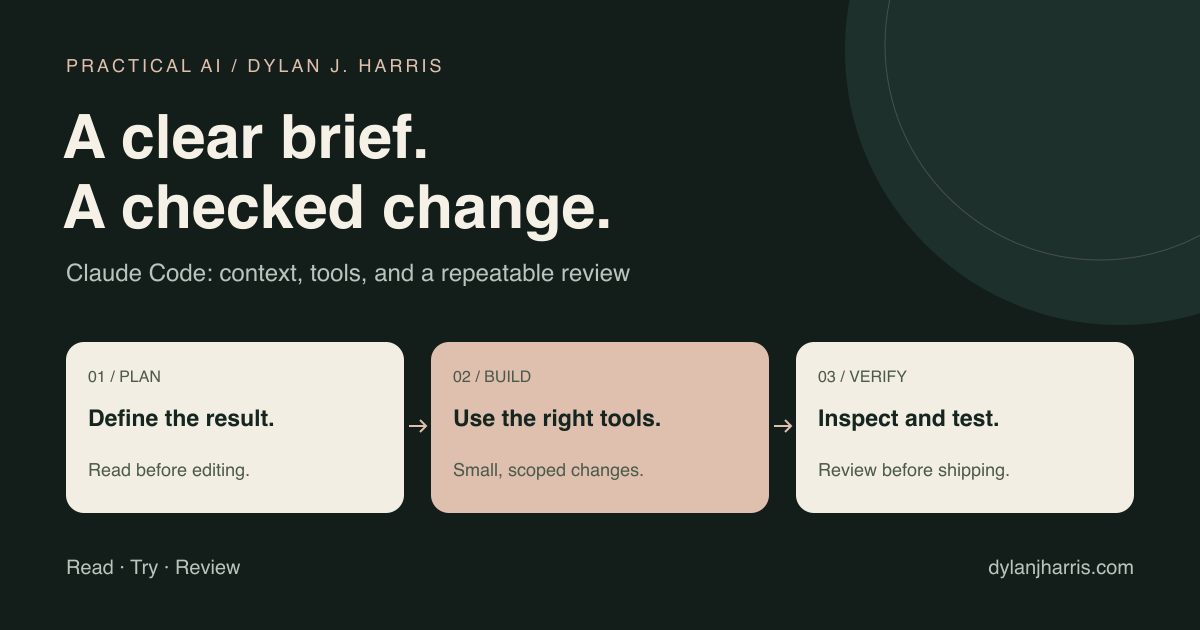
Give Claude Code a clear job, the right project context, and a way to check the result. Add skills and automation when the same work repeats.
This guide covers the coding agent: the tool that can read a repository, edit files, and run commands. It also explains how broader Claude task features fit. Older guides call some of these features Cowork. Access and setup still depend on the surface you use.
What is in this guide?
- Choose the right Claude surface
- Install and start safely
- Write useful project instructions
- Give a complete task
- Choose skills, hooks, or subagents
- Manage context and cost
- Review and automate
- Common questions
Which Claude tool do you need?
| Tool | Good starting use | Context to provide |
|---|---|---|
| Claude chat | Questions, drafts, analysis, and work with uploaded material | Relevant files and instructions; Projects can organize related work |
| Claude task features, formerly Cowork | Delegated work with files and connected tools | A permitted workspace, inputs, and a clear deliverable |
| Claude Code | Repository changes, scripts, tests, and development tasks | The actual project, its commands, and its working rules |
Claude Code is available through several interfaces, including terminal, desktop, web, and IDE integrations. The environment controls which files and tools it can reach. A cloud session does not automatically contain the files on your laptop. Claude Code overview.
Anthropic is combining chat and Cowork into Claude, with rollout starting on Pro and Max. Older instructions that depend on a separate Cowork tab may no longer match your account. Cowork is now Claude.
Do not use “chat cannot handle files” as the distinction. Check whether the selected surface can reach the working files, tools, and permissions your task needs.
How do you start with Claude Code?
Use Anthropic's installer for your operating system. On macOS, Linux, or WSL, its native install command is:
curl -fsSL https://claude.ai/install.sh | bash
claude --version
cd /path/to/your/project
claude
Use your real project path. Follow the sign-in flow. Supported access includes eligible Claude subscriptions, a Console account, and supported cloud providers. Billing depends on which route you use. Official quickstart.
For a first session, ask for a read-only tour:
Explain this repository. Find its entry points, build command, tests, and deployment rules. Identify missing setup. Do not edit files yet.
Then choose a small task whose result you can inspect: fix a broken link, add a validation rule, or produce a report from sample data. Use the result to check your setup before asking for broader changes.
Check the permission mode shown in your session. Defaults can differ by account, interface, and managed settings. Auto mode is not an unrestricted bypass: it uses automated review. Use Manual mode when you want to review operations yourself. Permissions and sandbox controls are separate from prose instructions. Permission modes.
What belongs in CLAUDE.md?
Put project facts and broad working rules in CLAUDE.md. Claude Code reads applicable instruction files as it works. Auto memory is a separate feature for saved learning. Neither changes the model's trained weights. Memory and project instructions.
A useful starting file might be:
# Working in this repository

- Use the existing components before adding a dependency.
- Run npm run typecheck after TypeScript changes.
- Run the relevant tests before calling a change complete.
- Create a feature branch from dev.
- Follow docs/deployment.md for promotion and rollback.
- Keep credentials out of code, logs, and commits.
- Report the change, the checks run, and any unresolved issue.
These are example commands and policies. Replace them with the ones your project actually uses.
Keep this file short enough to review. Move a rare procedure into a skill. Move a long explanation into a linked document. Do not paste a vendor manual into every session.
There is no universal 150-line limit that guarantees good results. The practical test is whether the agent can find and follow the rules that matter.
How do you write a task Claude can finish?
Give the agent the outcome, relevant evidence, boundaries, and acceptance check.
Goal: Fix the search page when the query has no matches.
Context: Reproduce with the query "zzzz-no-result".
Expected result: Show a clear empty state and keep the search input.
Constraints: Reuse the current components. Do not change search ranking.
Check: Verify one matching query and one empty query on mobile and desktop.
Report: List the changed files, checks, and anything still uncertain.
For unfamiliar or broad work, use Plan mode before editing. Start with claude --permission-mode plan, or switch modes in the session. For a clear typo fix, planning can add needless work. Planning and common workflows.
If a decision is missing, ask for the few questions that would change the implementation. Do not ask the agent to conduct a long interview for a one-line change.
When should you use skills, hooks, or subagents?
These tools solve different problems. Anthropic describes them as separate ways to steer Claude Code. Customization guide.
| Need | Use | Example |
|---|---|---|
| A rule that applies across this project | CLAUDE.md | Required build and deployment checks |
| A repeatable procedure | Skill | Prepare a release note from merged changes |
| Code that runs at a defined event | Hook | Validate an edited file |
| A focused task with separate context | Subagent | Inspect a change for permission bugs |
| Access to another service | CLI, API, or MCP integration | Read the issue linked in the task |
| Shared installation of several extensions | Plugin | Distribute team skills and tools |
Create a small skill
Create .claude/skills/release-summary/SKILL.md:
---
name: release-summary
description: Summarize a supplied release diff for users. Use for release notes, not general code review.
---

1. Read the supplied diff and linked issue.
2. Describe the user-visible change in two sentences.
3. Include a migration step only when the diff requires one.
4. Separate verified checks from checks that were not run.
5. Return a draft. Do not publish it.
Invoke it with /release-summary, or ask for a release summary in plain language. Claude can select relevant skills from their descriptions. Project skills live in .claude/skills/; personal skills can live in ~/.claude/skills/. Claude Code skills.
Test both kinds of request. If the skill works only when you name it, improve its description. For team distribution, see the agent skills guide.
Use a hook for a defined event
A hook needs an event name and the expected input format. A list of commands under an arbitrary hooks array is not enough.
This minimal .claude/settings.json example runs an existing project check after successful Edit or Write tool calls:
{
  "hooks": {
    "PostToolUse": [
      {
        "matcher": "Edit|Write",
        "hooks": [
          {
            "type": "command",
            "command": "npm run typecheck"
          }
        ]
      }
    ]
  }
}
Use it only in a project that defines typecheck. The command runs in the hook’s working directory. After a directory or worktree change, it may check a different package. For a multi-directory setup, parse the hook input’s cwd and select the intended package. CLAUDE_PROJECT_DIR can still point to the original checkout. A full type check after every edit can be slow. For larger projects, use a targeted check or run the full check at a later stage.
Hooks receive structured input through standard input. A file-aware script should parse that input. Do not assume an environment variable such as CLAUDE_FILE_PATHS exists. Also, this event does not cover edits performed through Bash or another process. It runs after the edit; it cannot prevent that edit. Hook reference.
Use /hooks to inspect the setup. Test success and failure on a disposable file before relying on it. Hook setup guide.
Ask for an independent review
A subagent can inspect a bounded problem in separate context. That helps when the main session has already committed to one approach. It does not make the review infallible. Subagents.
For a visual change, I would split review into three questions:
- Brief: Does the page do what was requested?
- System: Does it use the site's existing components and styles?
- Craft: Do actual mobile and desktop screenshots look right?
Ask each reviewer for evidence and specific fixes. Set a small round limit. If reviewers disagree after that, make a human decision. There is no reliable fixed token cost or guaranteed “pass until perfect” loop.
How do you manage context and cost?
Keep the session focused on one job. Large command outputs and unrelated discussions make the important evidence harder to find.
| Situation | Practical response |
|---|---|
| Starting unrelated work | Save needed state, then use /clear |
| Continuing a long task | Use /compact with the facts to preserve |
| Returning to prior work | Resume the relevant session |
| Investigating a noisy subsystem | Give a bounded investigation to a subagent |
| Repeating a stable data operation | Use a script and return its summary |
Anthropic recommends context management and evidence-based verification. It does not establish a universal “quality fails at turn 30” or “clear at 60%” rule. Best practices.
A good handoff records the goal, files changed, decisions, test results, open issues, and next action. Save it in the project when work spans sessions. Exclude secrets.
Cost also depends on the model, task length, tool output, and billing route. More agents can finish independent work sooner, but they can also repeat the same reading. Measure useful results and corrections, not just response speed. Cost management.
How do you review the result?
Ask for evidence you can inspect:
| Work | Evidence |
|---|---|
| Bug fix | Reproduction before the change; passing check after it |
| Website change | Mobile and desktop views; working interactions |
| Data import | Counts, duplicate handling, and a sample of imported rows |
| Refactor | Relevant tests plus a review of behavior changes |
| Deployment | Correct environment, live response, and rollback path |
Review the diff before merge. “Tests passed” means little if no relevant test ran. A screenshot of a static page does not prove its buttons work.
For GitHub automation, use the actual anthropics/claude-code-action setup. GitHub workflow files belong in .github/workflows/. Install the integration, configure its required permissions and credentials, and test it in a non-production repository. A local Claude Code installation alone does not enable automatic PR reviews. Official GitHub Actions guide.
What should you set up first?
Start with one project instruction file, one clear task, and one relevant check. Add a skill when a procedure repeats. Add a hook when an event should run code. Add parallel review when the extra review is worth its cost.
For recurring work outside a coding session, use the Claude automation guide. For current tools and learning resources, browse the AI directory.
FAQ
Is Claude Code only a terminal tool?
No. It has terminal, desktop, web, and IDE interfaces. The available files, tools, and controls depend on the environment.
Is CLAUDE.md the same as a skill?
No. CLAUDE.md supplies broad project instructions. A skill supplies a procedure or reference for a particular task.
Does a skill train the model?
No. It supplies instructions and resources during work. It does not update the model's trained weights.
Should I use hooks for all checks?
No. Use hooks when a defined event should run a check. Keep expensive checks at sensible stages. Ensure that the event covers the way files actually change.
Should I clear context at a fixed percentage?
There is no universal threshold. Save important state and start fresh when the task changes or accumulated context stops helping.
Can Claude Code deploy a website?
It can use deployment tools when configured and authorized. Define the branch flow, environment, checks, and rollback procedure before using it for production.