Writing
Hermes Agent setup: a practical field guide
updated 2026-09-17
Hermes Agent is a free, open-source application that connects an AI model to tools, memory, and scheduled work. Install it, connect one model, and test a small task. Then add phone access through Telegram. You can use a hosted model or a local one. Model usage and external services can still cost money. Official overview.
I use Hermes alongside other coding agents. Telegram lets me use it away from my desk. I want an assistant that can finish useful work within clear limits and record what changed.
What is in this guide?
- Choose a setup
- Install and test
- Connect a model
- Connect Telegram
- Use memory and skills
- Separate profiles
- Use hooks
- Schedule work
- Delegate and extend
- Troubleshoot
- Frequently asked questions
Which Hermes setup should you choose?
Hermes Agent is the application. The model is the service or local program that generates its answers. Changing the model does not require changing your entire workflow.
| Your need | Start here | Main tradeoff |
|---|---|---|
| A simple visual interface | Official Desktop installer | Still needs a model and sensible permissions |
| Coding in a project folder | Command-line app | You need basic terminal skills |
| Access from your phone | Telegram gateway | The host must stay available |
| Model data kept on your computer | Local model endpoint | Hardware and speed limits |
| Scheduled work while your laptop sleeps | An always-on host | Hosting, updates, and credentials need care |
Desktop, CLI, and the messaging gateway use the same agent core. They have different controls and setup needs. Use the official Desktop guide for supported packages. Avoid downloads from sites that only resemble the official domain.
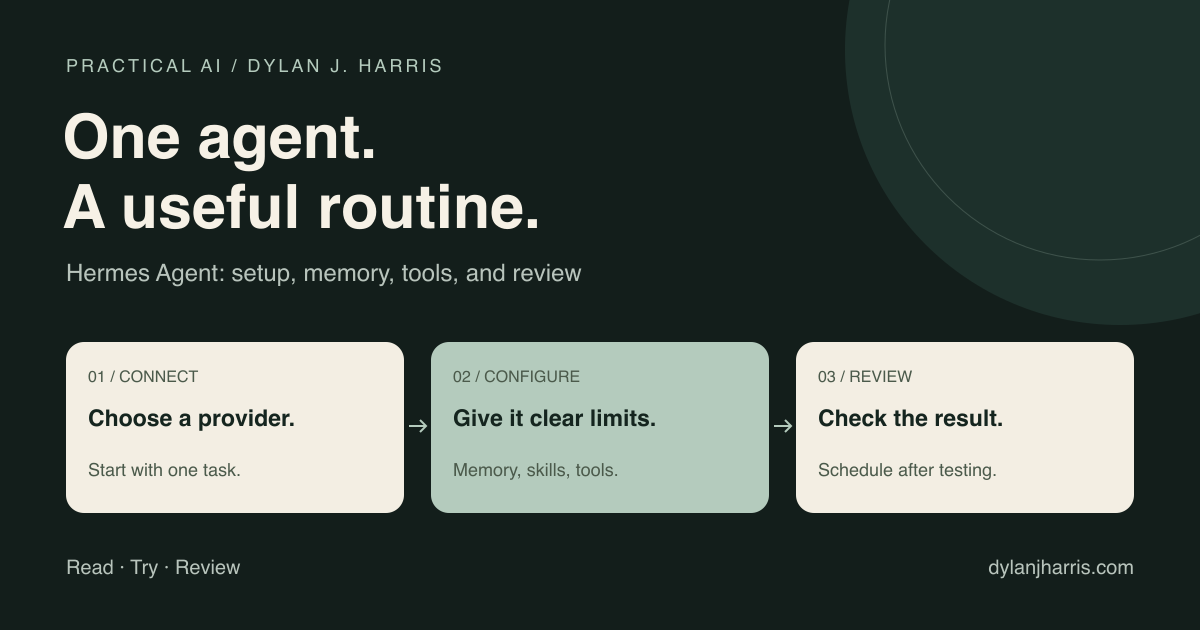
My recommendation: get one chat working before adding memory imports, plugins, scheduled jobs, or multiple providers. It is much easier to find a fault in a small setup.
How do you install Hermes Agent?
For a visual setup, use the download link on the official Hermes website.
For Linux, Apple-silicon macOS, WSL2, or Termux, the official shell installer is:
curl -fsSL https://hermes-agent.nousresearch.com/install.sh | bashThis runs a downloaded script. Read the installer first if you need to review changes to your machine. Native Windows has its own installation path. Follow the installation guide for platform requirements.
After installation:
hermes setup
hermes model
hermes doctor
hermes
hermes setup configures the agent. hermes model selects the provider and model. hermes doctor checks the installation. hermes starts a conversation. For the current command options, use the CLI reference.
Test it in a disposable folder before using a real project:
Read the files in this folder. Explain what each one does.
Do not change, delete, install, or send anything.
Then try a small edit and inspect the result. Confirm which model handled the request and whether the provider recorded a charge. A working greeting proves less than a working tool call.
Which model provider should you use?
Start with the provider you understand and can control. These are the main routes:
| Route | Why choose it? | What to check |
|---|---|---|
| Nous Portal | Integrated model and tool setup | Plan limits, credits, and which tools are included |
| OpenRouter | Multiple model providers through one account | Exact model ID, price, tool support, and data policy |
| Direct provider | Direct access to a provider you already use | API billing or supported sign-in route |
| Local endpoint | Local inference without a cloud token bill | Tool support, memory use, and enabled cloud features |
Hermes supports both API keys and provider-specific sign-in flows. A consumer subscription is not the same as a general API balance. However, the old rule that “every provider except Nous needs a separate API key” is too broad. Current Hermes integrations include supported OAuth routes. Eligibility and usage limits depend on the provider and account. Check the provider guide for your route.
For Nous Portal, the documented setup command is:
hermes setup --portalPortal can configure the model connection and its Tool Gateway together. Included access is still subject to the selected plan. Nous Portal integration.
For OpenRouter, run hermes model, select OpenRouter, and enter your key through the setup flow. Choose the exact model slug from the live catalog. Do not add a second openrouter/ prefix to a provider model ID. The OpenRouter setup guide explains IDs, context requirements, and routing.
Use a model with reliable tool calling and enough context for the prompt, tools, and task. The maximum advertised context is not a speed guarantee. For no-cost choices and their limits, see Free AI models for Hermes Agent.
Can Hermes use Ollama?
Yes. Install Ollama separately, download a suitable model, and confirm it responds before connecting Hermes. Select Custom Endpoint in Hermes and use:
model:
  provider: custom
  base_url: http://localhost:11434/v1
  default: YOUR_INSTALLED_MODEL
Replace YOUR_INSTALLED_MODEL with the exact local model name. Ollama does not need a real API key for its default local endpoint. Hermes Ollama setup.
Local inference removes the cloud model bill. Hardware, electricity, and maintenance still cost money. Web search, remote tools, fallback models, and messaging platforms may still send data elsewhere; review them before using confidential data.
How do you connect Hermes to Telegram?
The Desktop app and dashboard support a Telegram setup flow. The manual route uses Telegram's official BotFather to create the bot, then the Hermes gateway wizard to save its token and allowed user IDs.
hermes gateway setup
hermes gateway
Follow the wizard. Restrict access to your Telegram user ID. Then send a harmless test message. A Telegram username and a numeric user ID are different. The Telegram guide covers both setup routes and group privacy rules.
For a persistent service, check the commands supported by your host:
hermes gateway install
hermes gateway status
Test a restart. Confirm that the bot reconnects and that an unapproved account cannot run a task. A bot that works in a terminal can still stop when that terminal closes or the host sleeps.
Start with a private chat. A group chat changes who can provide input and see output. Add groups only when you have a clear reason and have checked the access rules.
What belongs in memory, skills, and SOUL.md?
| Information | Best home | Example |
|---|---|---|
| Stable personal preferences | User memory | “Use short, direct answers.” |
| Stable environment facts | Agent memory | “The staging branch is required.” |
| A repeatable procedure | Skill | “How to add a resource to this site.” |
| Voice and personality | SOUL.md | “Be warm. Explain uncertainty.” |
| Repository rules | Project context file | Build commands and deployment rules |
| Current task progress | Task document or session history | What is complete and what remains |
Hermes keeps persistent memory in files such as memories/MEMORY.md and memories/USER.md. Memory helps later sessions recover important context. Keep it short enough to inspect and correct. Do not treat a remembered claim as proof. Memory guide.
The personality file is SOUL.md, with uppercase letters. That matters on case-sensitive file systems. Keep voice rules separate from access controls: “be careful” is not a permission system. Personality guide.
What does a useful skill look like?
Hermes supports the Agent Skills format. A skill can contain instructions, scripts, and reference files. The description tells the agent when the procedure applies. Skills guide.
Here is an original starting template:
---
name: weekly-project-review
description: Use when asked to prepare a weekly project review.
---

# Weekly project review

1. Read the project task list and recent change log.
2. Separate completed work from plans and unresolved issues.
3. Link each completed claim to a file, test, or merged change.
4. Draft a short report: shipped, blocked, next.
5. Ask before sending the report to other people.

If evidence is missing, say what could not be verified.
Save the procedure after it works. Include the checks that caught real mistakes. Avoid copying every conversation into a skill.
A skill improves consistency. It does not guarantee compliance. For a required output format or blocked action, use code and permissions as well.
How do profiles separate your work?
Create a blank profile for a different role or client:
hermes profile create work
hermes -p work setup
hermes -p work
Profiles separate Hermes configuration, memory, and session state. Cloning can copy credentials and memory, so inspect what you copy before using a profile for another client. Profiles guide.
A profile is not a full security boundary. Local tool processes can still use the same operating-system account, files, and CLI credentials. Separate clients may need separate OS accounts or carefully scoped containers and credentials. The configuration guide explains terminal.home_mode and the local backend.
For any sensitive workflow, test what the agent can read and change. A folder name is not an access restriction.
When should you use hooks?
Use a prompt to express intent. Use code to enforce a specific rule at a known point in the workflow.
| Need | Suitable mechanism | Limit |
|---|---|---|
| Remind the model of a preference | Prompt, memory, or skill | The model may still miss it |
| Add context before a response | pre_llm_call | Added text still depends on model behavior |
| Block a tool action | A supported pre-tool gate and permissions | The gate must cover the actual execution path |
| Add a standard response footer | transform_llm_output | Test each output surface and interruption path |
| Record an event | Observer hook or log | A log does not stop an action |
| Change Desktop appearance | Desktop plugin | Styling does not change model behavior |
A hook that inserts “always include a report” still depends on the model following that instruction. A program that appends the report performs the step itself.
Current Hermes documentation supports output transforms after streaming. Append-only text can follow the streamed response. Replacement text can be shown as a post-stream transformation. The old advice to always disable streaming is no longer a general rule. Empty or interrupted responses and hook errors still need testing. Hook reference.
How should you test a hook?
Use the diagnostics first:
hermes hooks list
hermes hooks doctor
hermes hooks test pre_tool_call
Then test the real surface: CLI, Desktop, or Telegram. Check ordinary replies, tool calls, failures, and cancellation. A synthetic test alone does not prove that a user sees the result.
Keep hook scripts small. Use absolute paths. Review their credentials and logging behavior. Never rely on a short shell-command regex as a complete sandbox. A command can perform the same action through many spellings, scripts, or interpreters.
For response plugins, avoid one global variable that holds the “current user message.” Concurrent sessions can overwrite it. Pass context through the supported interface or store it under a session-specific key, with cleanup.
For complex control flow, use the current middleware contract. Do not copy an old plugin example without checking its callback signature and error behavior.
How do you schedule work without wasting tokens?
Use an agent when the job needs judgment. Use a script when the output follows fixed rules.
| Job | Suggested approach |
|---|---|
| Check free disk space | Script |
| Download and rename known files | Script |
| Select important changes from a report | Agent |
| Draft a brief from several sources | Script to collect, agent to summarize |
Hermes supports scheduled agent jobs and script-only jobs. Set the schedule, timezone, working directory, allowed tools, and delivery target. Then run a test. The gateway or other supported scheduler must remain running. Cron guide.
A useful scheduling request is:
Every weekday at 7 a.m. America/New_York, read my project task file.
Send a short Telegram summary of overdue items and today's priorities.
Do not edit the task file or message anyone else.
Show me the saved schedule and delivery target, then run a test.
For a script that needs no model, the current CLI supports this pattern:
Save and test memory-watchdog.sh inside ~/.hermes/scripts/ before creating this job.
hermes cron create "every 5m" \
  --no-agent \
  --script memory-watchdog.sh \
  --deliver telegram \
  --name "memory-watchdog"
Follow the script-only cron guide for script placement and output handling. The scheduled run avoids model calls; other service costs may still apply.
When should you add subagents, MCP, or plugins?
Add one capability when a real task needs it. More tools can increase context, cost, and the number of things that can fail.
Subagents
Delegate independent work with a clear result. For example: one agent checks sources while another reviews a draft. Keep the parent responsible for resolving disagreements.
Hermes subagents have separate conversation context, but they can share a working directory. Separate conversations do not prevent file conflicts. Use distinct file ownership or supported worktree isolation for parallel edits. Delegation guide.
MCP connections
MCP connects the agent to external tools and data. Start with the smallest useful tool set. Review what each server can read, write, or send. Credentials and permissions still matter after the connection works. MCP guide.
Desktop plugins
A Desktop plugin can add interface elements or change presentation. It is separate from a backend hook that changes a response. Prefer supported extension points over selectors tied to internal CSS class names. Those names can change in an app update. Desktop Plugin SDK.
After changing a backend plugin, restart the process that loaded it unless the plugin's current documentation promises a reload. Test again in the actual app. Do not assume a new conversation reloads Python modules.
Voice
Voice adds transcription and, optionally, spoken replies. Check whether each stage runs locally or sends audio to a service. A local text model does not imply local transcription. Follow the voice guide for the current provider options.
What should you check when Hermes breaks?
| Symptom | First checks |
|---|---|
| Authentication error | Provider, saved key or sign-in state, account eligibility |
| Model not found | Exact model ID and current listing |
| Context error | Model limit, enabled tools, and local server context setting |
| Slow first reply | Model loading, prompt processing, available memory |
| Telegram stops responding | Host awake, gateway status, allowed user ID |
| Scheduled work has no message | Run result, delivery target, timezone, channel configuration |
| Hook passes a test but changes nothing | Running process, real output surface, streaming, error log |
| Two agents overwrite each other | Shared folder, file ownership, worktree isolation |
Keep a small known-good task. Rerun it after a model or configuration change. Change one setting at a time so you can identify what helped.
Before an update, back up the profile with its secrets protected. Review the release notes. Then test chat, one tool call, your messaging channel, and one scheduled job. For client work, keep a rollback path.
The security guide explains the available approval and isolation controls. These controls reduce risk; they do not make an autonomous agent infallible.
If you file a bug, use the official Hermes repository. Include the version, platform, steps, expected result, actual result, and redacted logs. Do not post tokens or client data.
Frequently asked questions
Is Hermes Agent free?
The application is free and open source. Hosted models, optional tools, and hosting can cost money. Local inference has hardware and operating costs.
Do I need to use a Nous model?
No. Hermes supports several providers and local endpoints. Check the current provider guide for supported authentication and model features.
Can I run Hermes from my phone?
You can send tasks through a connected messaging platform such as Telegram. The agent still runs on its host computer or server, which must remain available.
Are memory and skills the same thing?
No. Memory stores useful facts and preferences. A skill describes a repeatable procedure. Use a task file or session history for temporary progress.
Does a separate profile protect one client's files from another?
Not by itself. Profiles separate Hermes state. File and credential access also depend on the operating-system account, tool backend, and permissions.
Must I disable streaming for output transforms?
Not as a general rule. Current Hermes documentation describes post-stream transform support. Test the plugin and the exact surface you use, including cancelled and empty turns.
Where should I start?
Install from the official site, connect one provider, and complete one small task. Add Telegram next if phone access is useful. Add automation after the basic setup is reliable.
Further reading
For a companion model guide, read Free AI models for Hermes Agent. For a customer-facing assistant, read Custom GPT for your website. These are different deployments with different permissions.
The original field notes were informed by the Startup Ideas skills discussion, Sharbel A.'s Hermes overview, and Wanderloots' memory tutorial. Those videos are background references. Use the current official documentation for commands and limits.